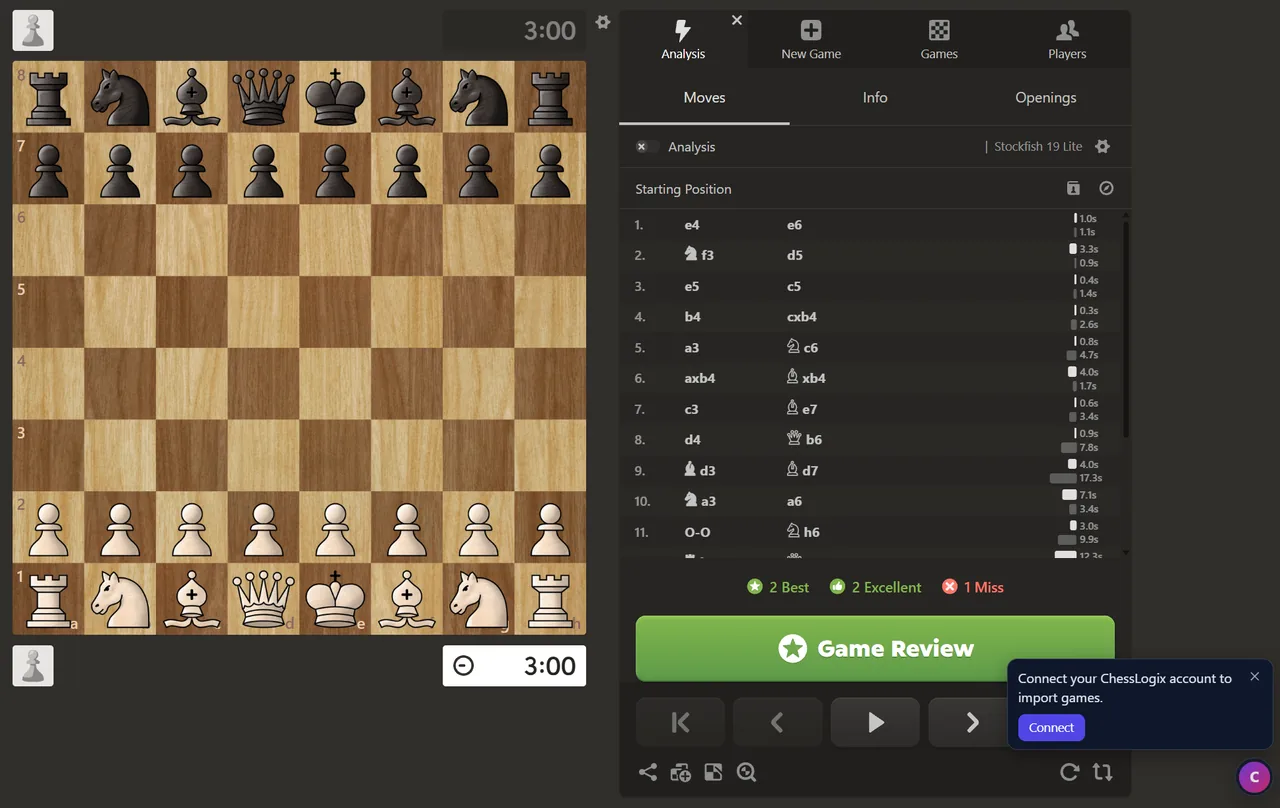
Free Chess Game Review Extension for Chess.com and Lichess
The best time to review a chess game is the minute it ends, while you still remember what you were thinking. The ChessLogix extension for Chrome puts that review one click away, on the finished game's own page on Chess.com or Lichess.
Hover over the small ChessLogix icon in the corner of the page and pick one of two buttons. Engine review opens a free Stockfish review of every move, with no limit on how many games you review. Deep analysis opens the full ChessLogix analysis: accuracy, decision patterns, performance metrics and move-by-move explanations. Either way the game lands in your ChessLogix library, with no PGN to copy and no username to type.
At a Glance
- Where it works: finished games on Chess.com (live and daily) and on Lichess.
- Engine review: free and unlimited. Stockfish 18 runs in your browser and labels every move.
- Deep analysis: accuracy, decision patterns and performance metrics. One credit per game, and every account gets 5 free credits a month.
- Out of your way: one small icon, and it never shows anything about the position on Chess.com or Lichess.
- Browsers: Chrome, and other Chromium-based browsers that install from the Chrome Web Store.
Add ChessLogix to Chrome. It's free.
How to Set Up the ChessLogix Extension
Setup takes about a minute, and you only do it once.
1. Install it from the Chrome Web Store
Open the ChessLogix listing on the Chrome Web Store and click Add to Chrome. It works in Google Chrome and in other Chromium-based browsers that install extensions from the Chrome Web Store, such as Brave and Microsoft Edge. Firefox and Safari aren't supported yet.
2. Connect your ChessLogix account
Open any finished game on Chess.com or Lichess. The first time, the extension asks you to connect your account:
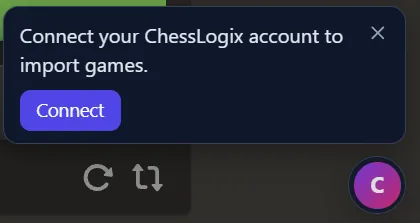
Click Connect. A ChessLogix tab opens. Sign in, or create a free account, then confirm. You do this once per browser.
The connect page says plainly what the extension can and can't do. It can import a finished game when you click one of its buttons, open that game on ChessLogix, and see your ChessLogix username. It can't spend your credits, see your email, password, payment details or other games, or show anything on Chess.com or Lichess while a game is in progress.
3. Open a finished game and click the icon
On a game page, a small round ChessLogix icon sits in the bottom-right corner. Hover over it or click it, and two buttons slide out:
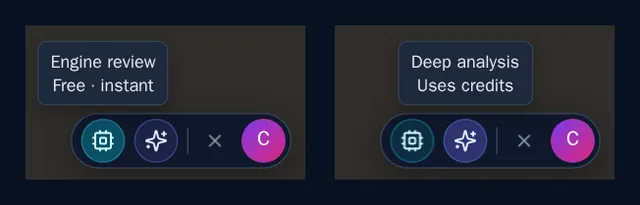
- The chip icon is Engine review: free and instant.
- The sparkles icon is Deep analysis: the full analysis, which uses credits.
These are the same two buttons, with the same icons, that sit next to every game on your ChessLogix Games page, so the choice means the same thing wherever you make it. The small × beside them hides the icon for that game.
What Happens When You Click
The extension reads the finished game from the page you're on, adds it to your ChessLogix library, and opens it in a new tab on the analysis you picked. If the game is already in your library, it opens the copy you have instead of importing another.
The first time you review a game from a Chess.com or Lichess account that isn't linked to your ChessLogix profile, ChessLogix asks which side you played:
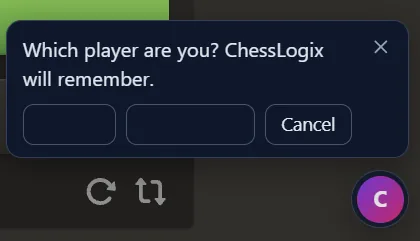
Pick your name once. ChessLogix links that account and doesn't ask again, so your accuracy, reports and training are always measured from your side of the board.
Games that aren't over yet are turned away, first by the extension and again by the ChessLogix server behind it.
The Free Engine Review
Engine review opens the game on the ChessLogix review board, and the analysis starts as soon as the page loads.
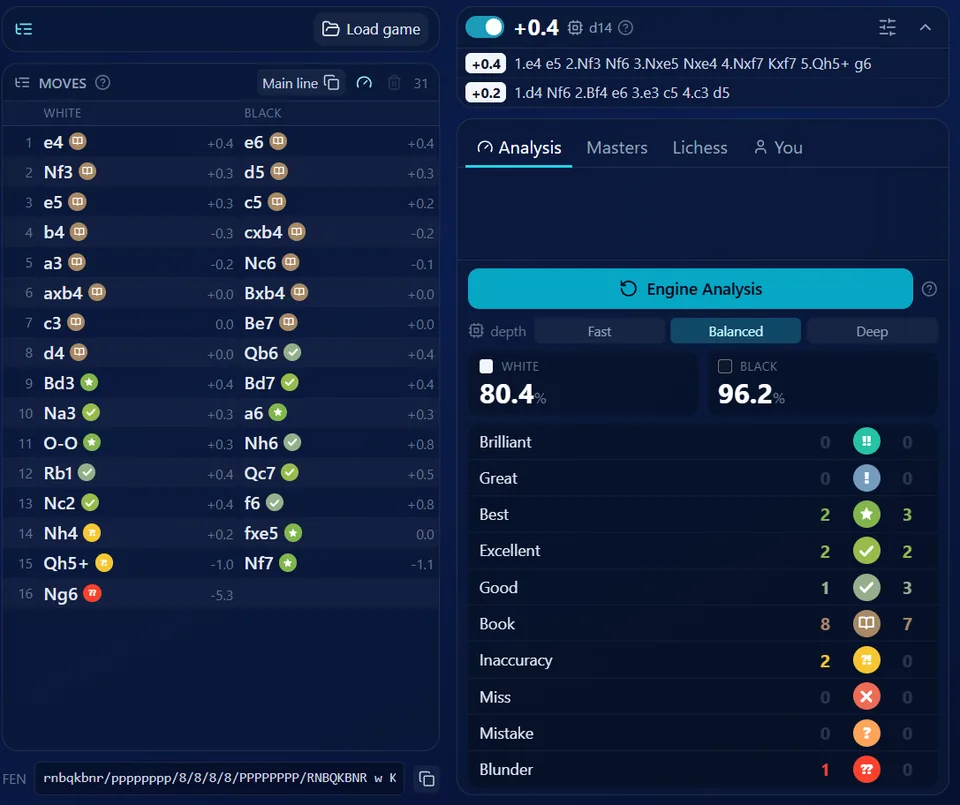
Stockfish 18 runs in your browser and works through every position in the game. Each move gets a label (Brilliant, Great, Best, Excellent, Good, Book, Inaccuracy, Miss, Mistake or Blunder) next to the evaluation after it, and each player gets an accuracy score. The top engine lines for the current position sit above the counts, and the Masters, Lichess and You tabs compare the opening with master games, the Lichess database and your own games.
Three depth settings trade speed for certainty:
- Fast: a quick pass that finds the blunders and the obvious mistakes.
- Balanced: the recommended setting for a game you want to learn from.
- Deep: several minutes for a long game, and the steadiest labels.
Because the engine runs on your own computer, the review is free and has no daily limit. Nothing is sent to a server for it and no credits are used, so you can review every game you play.
Deep Analysis: Accuracy, Decision Patterns and Metrics
Deep analysis opens the game's full analysis page on ChessLogix. The extension never starts it on its own: you start it on that page, and the button shows the cost first. A deep analysis uses one credit per game, and every ChessLogix account gets 5 free credits a month.
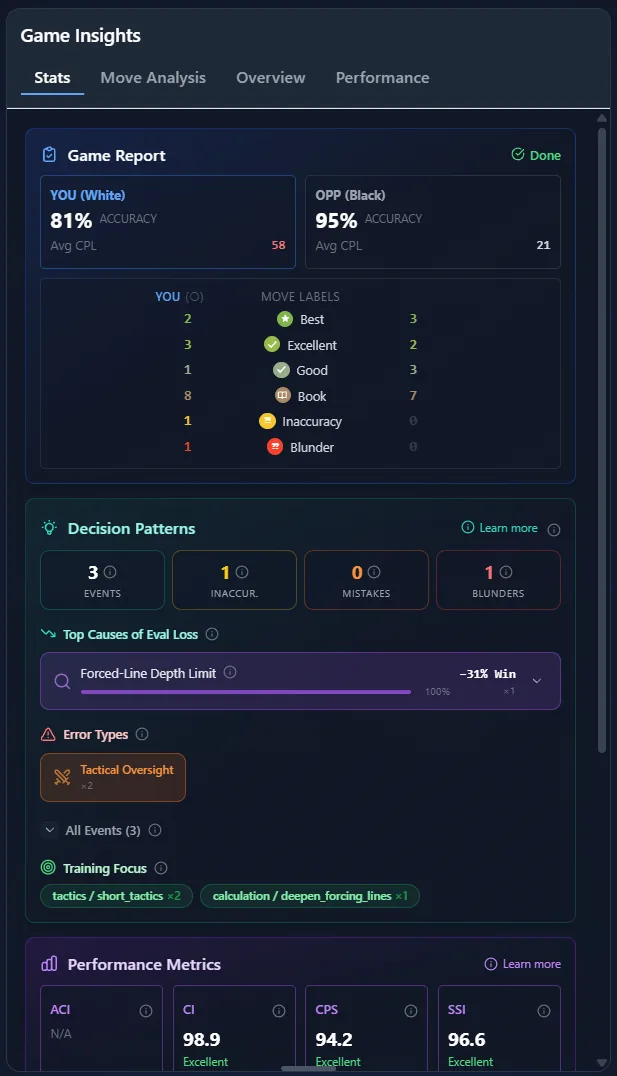
The ChessLogix server analyzes every position and builds a report with four parts:
- Game Report: accuracy and average centipawn loss for you and your opponent, with the move labels side by side.
- Decision Patterns: the named reason the evaluation dropped each time (a Forced-Line Depth Limit in the game above), the error types behind it, and the training focus it points to.
- Performance Metrics: Advantage Conversion Index, Confidence Index, Clutch Performance Score and Strategic Stability Index, each with a plain-language rating.
- Evaluation chart: the whole game across the opening, middlegame and endgame, with the critical moments marked.
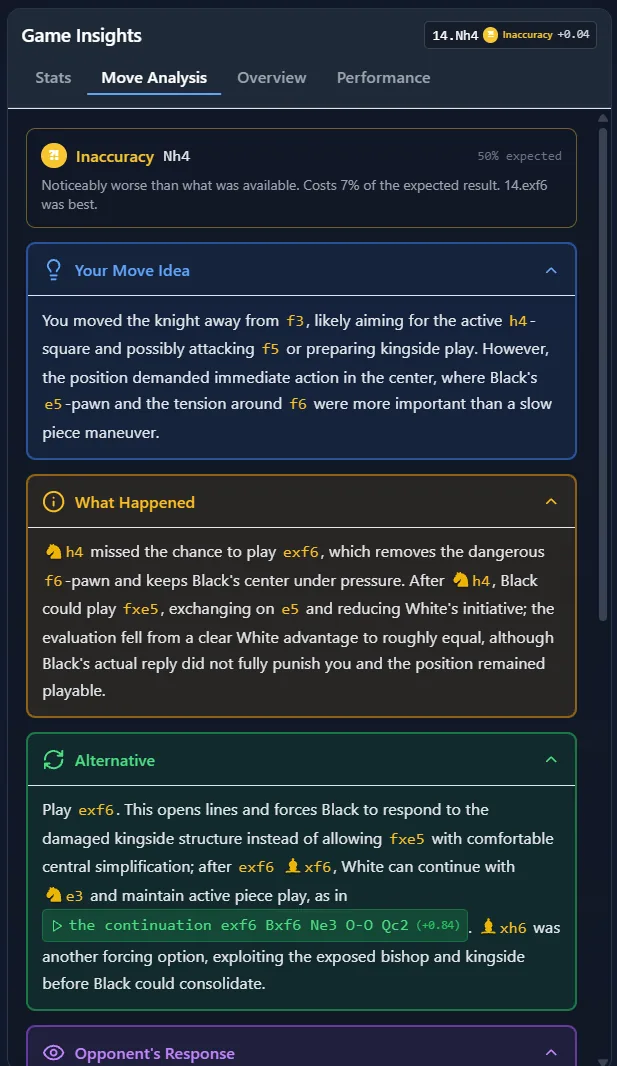
For any flagged move, the Move Analysis tab can also explain it in plain words: what your move was going for, what actually happened, the better alternative with its continuation, and how your opponent responded. That's AI Move Explanation, an optional add-on; see pricing for details.
A game with a deep analysis also counts toward your cross-game reports, so one click after each game builds the history those reports read from.
Built to Stay Out of Your Way
- One small icon. On a game page the extension is a round icon in the bottom-right corner. Its buttons appear only when you hover over it or click it, and they tuck away again when you move on.
- Nothing about the position, ever. The extension never shows an evaluation, a best move or an engine line on Chess.com or Lichess. The analysis happens on ChessLogix, after the game.
- Finished games only. Both the extension and the server refuse games that are still in progress.
- Easy to hide. The × hides the icon for one game, and the toolbar popup can turn it off on every game page.
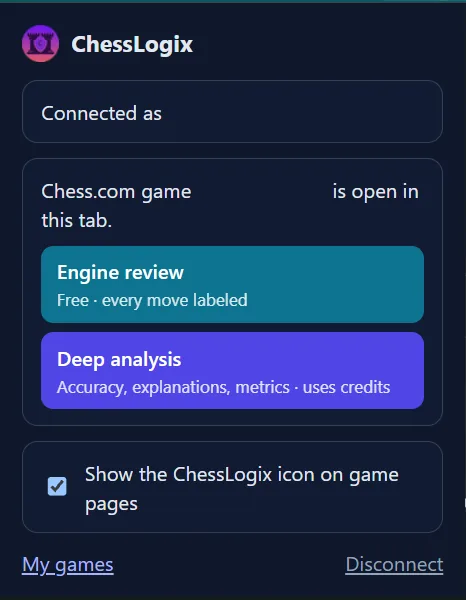
The toolbar popup also offers the same two analyses for the game in the current tab, and shows which ChessLogix account is connected:
Privacy and Permissions
- Two permissions. The extension asks for storage, to keep your connection and one setting, and for access to chesslogix.com, to import games. It runs on Chess.com and Lichess pages only to show its icon and to read the finished game you ask it to import.
- No Chess.com or Lichess password. On Chess.com the extension reads the game from data the page has already loaded for you. On Lichess it uses the site's public game export.
- A narrow connection. The connection lets the extension import games and see your username, and nothing else. It can't start a deep analysis, change your account or read your other data. It expires after 180 days, and you can disconnect at any time from the popup or from your ChessLogix account page.
- Your Lichess secret stays secret. The address of your own Lichess game ends in a secret player ID. The extension reads only the 8-character game ID, so that secret never leaves the page.
Would you rather bring in many games at once? You can still import by username. See how ChessLogix handles Chess.com games and Lichess games, or read how to analyze a chess game step by step.
Frequently Asked Questions
Is the ChessLogix extension free?
Yes. The extension is free, and so is the engine review it opens, with no limit on how many games you review. Deep analysis uses one credit per game, and every ChessLogix account gets 5 free credits a month.
Does it work on both Chess.com and Lichess?
Yes. On Chess.com it works on finished live and daily games, including a game's analysis page. On Lichess it works on the page of any finished game.
Can I use it while I'm playing?
No, and that's deliberate. The extension only reviews games that are over, and it never shows an evaluation or a move suggestion on Chess.com or Lichess.
Which browsers does it support?
Google Chrome, and other Chromium-based browsers that install extensions from the Chrome Web Store, such as Brave and Microsoft Edge. Firefox and Safari aren't supported yet.
Do I need a ChessLogix account?
Yes, a free one. The games you review are saved to your ChessLogix library, so they need an account to be saved to.
Where do my games go?
Into your ChessLogix library, the same place games imported by username go. They're on your Games page afterward, with the same Engine and Deep buttons.
What happens if I click the same game twice?
You get the same game. If it's already in your library, the extension opens it instead of importing a copy.
How do I hide the icon?
Click the × next to the two buttons to hide it on that game. To hide it on every game page, open the toolbar popup and turn off "Show the ChessLogix icon on game pages".
Review your next game the minute it ends.
Add the extension, connect a free ChessLogix account once, and every finished Chess.com or Lichess game is one click from a full engine review.