Chess Practice Plan: A Weekly Routine You Fully Control
Most practice apps decide for you: a daily streak to protect, a notification at a time they picked, and a guilty feeling when life gets in the way. The Practice Planner in ChessLogix works the other way around. You write the plan, and ChessLogix follows it.
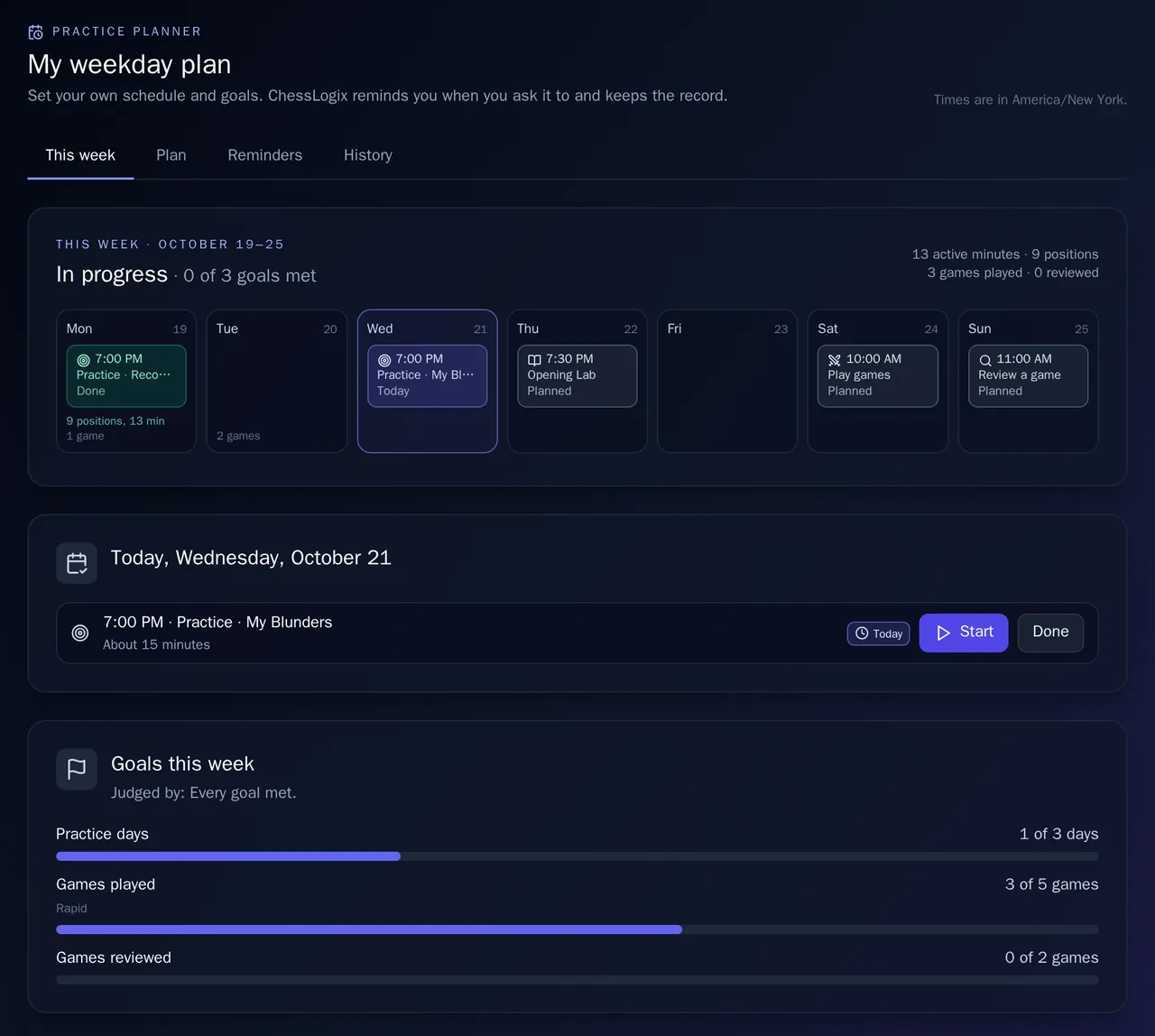
It's a weekly chess practice plan: which days you practice, at what time, for how long, how many games you play and how many you review. ChessLogix reminds you only in the ways you choose, counts what you do on the site by itself, and keeps an honest record of how each week went.
Plan Your Week, Your Way
Start from a template (Light, Steady, Serious or Games first) or from an empty week. A template is only a starting point: every day, time, length and goal stays editable. If you already use ChessLogix, the setup shows how often you practiced and played over the last four weeks, so you can start close to what you already do.
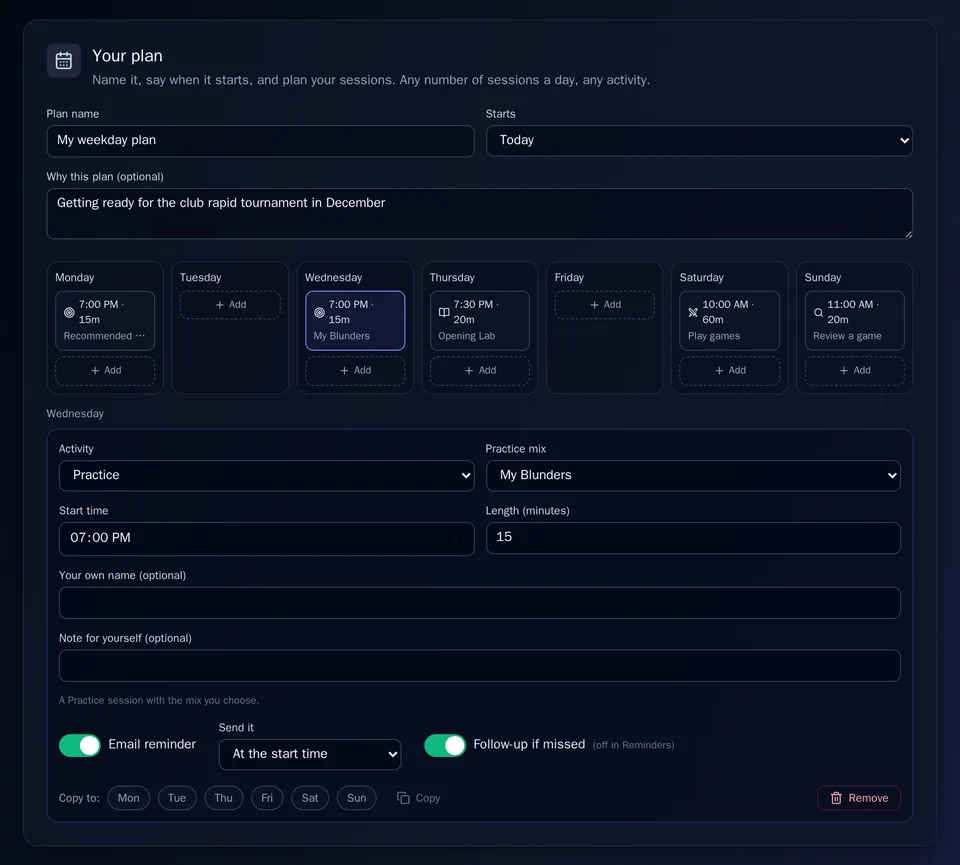
- Sessions on any day, at any time, for any length, up to eight a day. Give one your own name or a note for yourself.
- Eight kinds of session: Practice with the mix you choose (such as Recommended Mix or My Blunders), Pattern Speed, Opening Lab, Mentor, Review a game, Play games, Import games, or something of your own, like a chapter of an endgame book.
- Weekly goals that fit you: practice days, minutes or positions; games played, reviewed or imported; planned sessions kept; or a goal of your own. Each goal has its own filters, so "5 games" can mean only rapid games, only on Lichess, or only as Black.
You Decide What Counts
Your practice is counted from what you actually do on ChessLogix, so there are no boxes to tick. The rules it's judged by are yours, though:
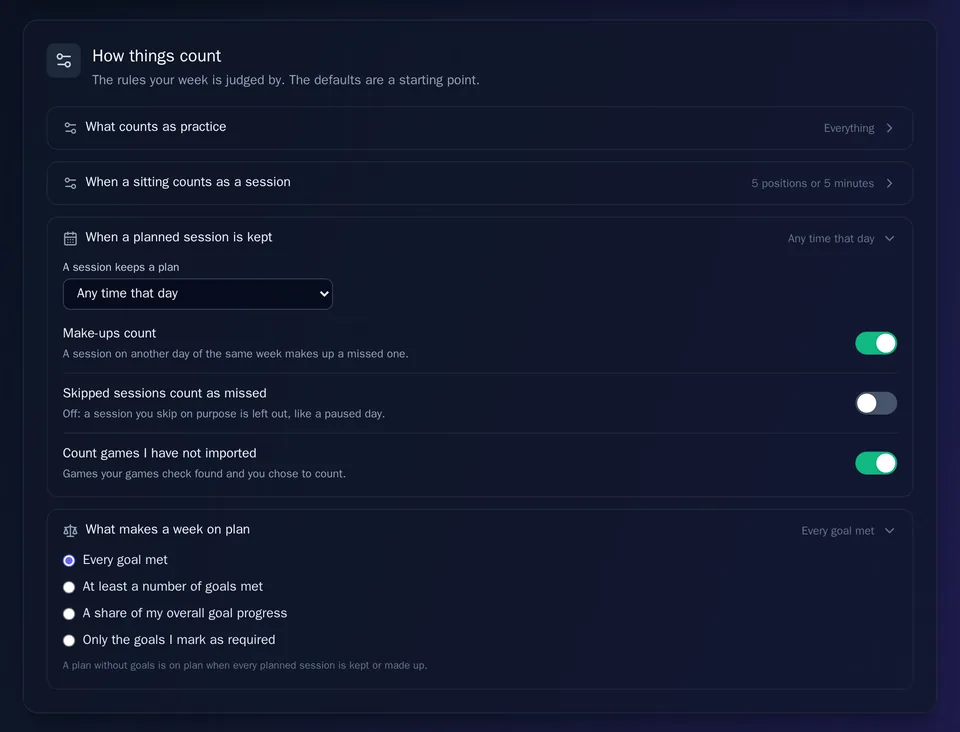
- What counts as practice: everything, or only the kinds you pick, from puzzles and opening drills to Mentor sessions and study you log yourself.
- How much makes a session: 5 positions or 5 active minutes to begin with, or any bar you set.
- When a session is kept: any time that day, or only near the time you planned. A session on another day can make up a missed one, and a session you skip on purpose doesn't have to count as missed.
- What makes a week "on plan": every goal, a number of goals, a share of your overall progress, or only the goals you mark as required.
Played over the board or studied from a book? Log it yourself, and it's labeled as logged by you.
Reminders on Your Terms
Reminders are where most apps overstep. Here, each kind of email has its own switch and its own unsubscribe link, and turning one off never touches the others:
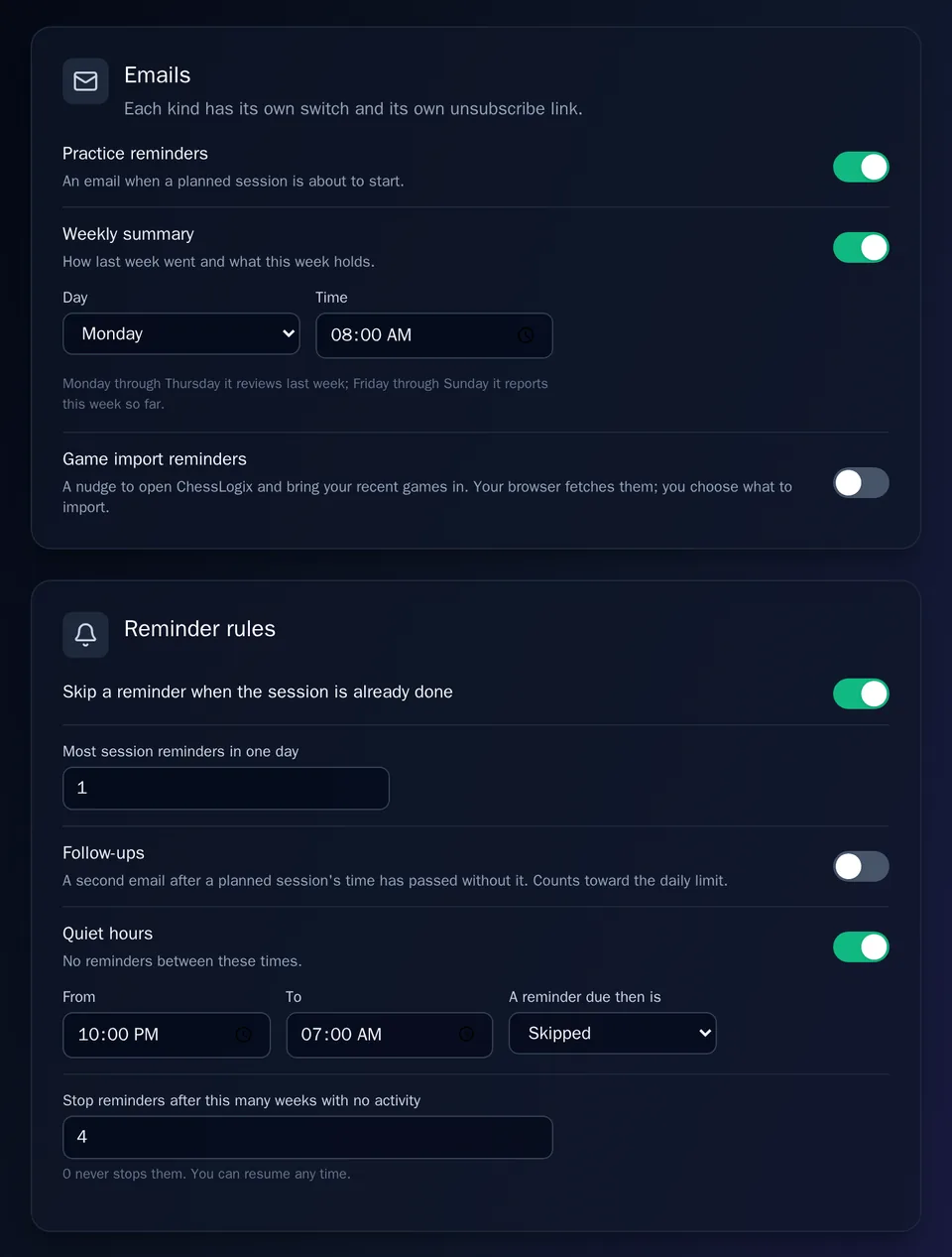
- Practice reminders arrive when a planned session is about to start. Turn the reminder on or off for each session, and send it at the start time or up to three hours before.
- The weekly summary covers how last week went and what this week holds, on the day and at the time you pick.
- Game import reminders stay off unless you turn them on, and then come only on the days you choose.
The rules are yours as well. By default you get at most one session reminder a day, and none for a session you've already done. Follow-ups stay off unless you want them. Quiet hours keep the hours you choose free of reminders. If you stop practicing for four weeks, reminders stop on their own, or set that to 0 and they never stop. Every day, week and reminder runs on your own time zone. And if you'd rather have no email at all, switch them off: today's sessions still show up in your notifications on the site.
Nothing Happens Without You
- No plan, no planner emails. Nothing is sent until you've made a plan.
- Links never act on their own. Start in a reminder opens your plan with the button ready; it never starts a session for you. Skip today and Pause reminders ask you to confirm first.
- Your games are imported only when you say so. The planner can check Lichess and Chess.com for your recent games, but your own browser does the checking, and nothing is imported until you pick it.
- Your plan changes only when you change it. Changes to your sessions apply from the day the new plan starts, and earlier days keep the sessions they had. End the plan any time and your history stays.
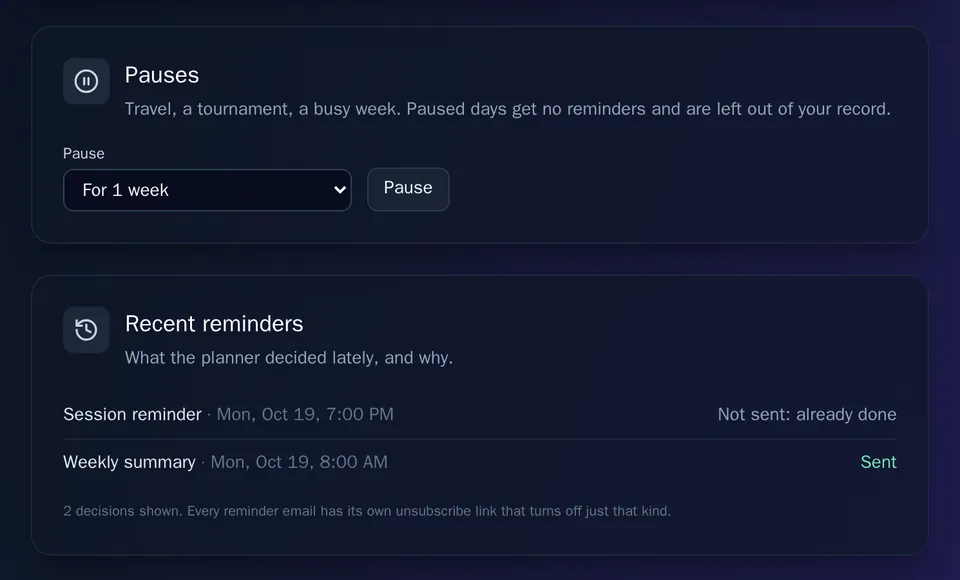
- Pause whenever you need to: for one, two or four weeks, between two dates, or until you resume. Paused days get no reminders and are left out of your record.
- Every decision is on the record. Recent reminders lists what the planner sent or didn't send, and why.
No Streaks to Lose
The planner counts weeks, not days. Your record shows how many weeks were on plan, your best run and how many planned sessions you kept. There's no daily streak to protect and no "you lost your streak" message. A session you didn't do shows as a gray "Not done," never red, so one busy week is just one week.
How to Start
Open Planner in the ChessLogix menu with a free account. Pick a template or start from scratch, change anything you like, and press Start this plan. If you want your games to count, import them from Lichess or Chess.com first.
Frequently Asked Questions
Is the Practice Planner free?
Yes. Making a plan, the reminders and the record are free on any ChessLogix account. A planned Mentor session uses one credit when you start it, like any Mentor session.
Do I have to get reminder emails?
No. Practice reminders, the weekly summary and game import reminders each have their own switch and their own unsubscribe link, and you can turn the reminder off for any single session. Without a plan, the planner sends nothing at all.
What happens if I miss a session?
It shows as a gray Not done in your week, and a session on another day can make it up if you allow make-ups. There is no daily streak to lose. If you'll be away, pause the plan and those days are left out of your record.
Does the planner decide what I practice?
No. It plans when and how much. What you practice comes from the activity and the practice mix you pick for each session.
Plan a week you'll actually keep.
Create a free account, set your sessions, goals and reminders, and change any of them whenever your week changes.