AI Chess Coach: Learn by Playing, With Help When You Ask
Most chess tools tell you the best move after the game is over. A good AI chess coach does something more useful: it helps you understand why a move works or fails while you're still playing, and then lets you try that moment again. That's what the AI Mentor in ChessLogix is built for.
You play a real, untimed game against Stockfish at the strength you choose. When you're stuck, ask for a hint or a position tip. After any move, yours or your opponent's, ask why it worked or failed. Then go back and try again. Help shows up when you ask for it; on its own, the coach only speaks up when one of your moves has just cost you something.
What Is an AI Chess Coach?
An AI chess coach plays you and teaches you at the same time. It gives you an opponent at your level, and when you ask, it tells you in plain words what the position needs and why a move worked or failed, instead of handing you an evaluation number.
In the AI Mentor, Stockfish plays your opponent and works out the lines behind every answer. A language model then writes the explanation from those lines, for the level you pick. Any line it mentions can be played out on the board, so you can check it for yourself. For a full tour, see the AI chess coach page.
The Goal: Understand Your Own Moves
The AI Mentor isn't about beating Stockfish, and it isn't an engine telling you what to play. It's built around the question every improving player asks: why did my idea work or fail, and what changes if I try something else?
So every session follows the same simple loop:
- Try your idea. Play the move you believe in. The evaluation bar and engine arrows stay off unless you turn them on, so nothing gives the answer away.
- See what happens. Your opponent replies the way a real opponent would.
- Ask why. Get a hint, a position tip or an explanation of any move.
- Try again. Go back to the decision that mattered and play something else. Your first attempt stays saved.
See It in Action: Two Short Italian Games
The screenshots below come from two short games in the Italian Game (1.e4 e5 2.Nf3 Nc6 3.Bc4), one of the first openings most players learn. Every word in them is the AI Mentor's own, exactly as it appeared during the game.
Ask Why a Move Didn't Work
In the first game, Black tried a natural-looking move and the opponent punished it right away. Picking that move in the move list and pressing Explain brought up this:
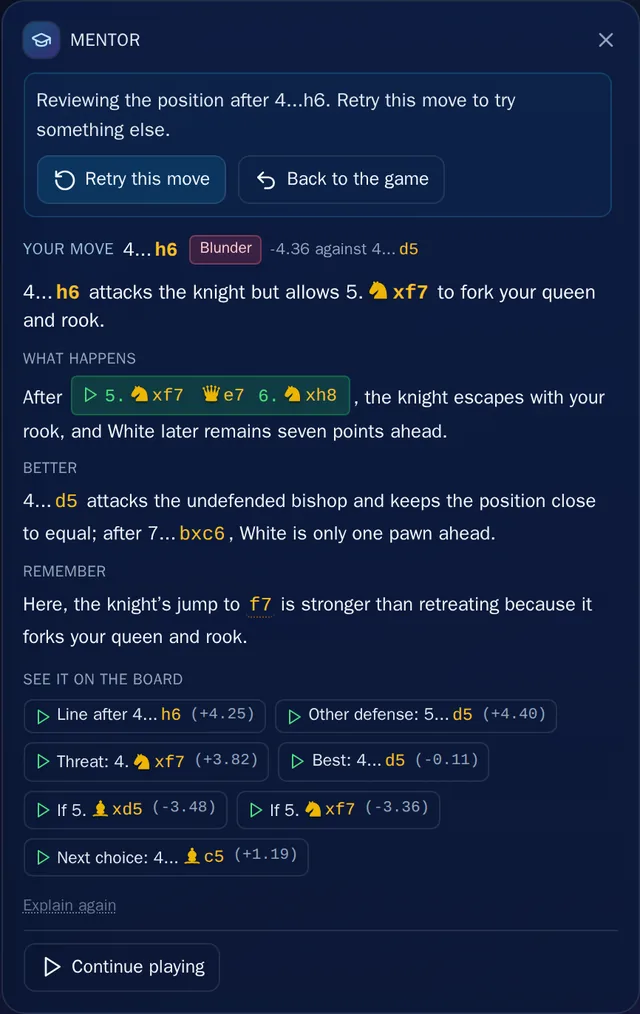
Every explanation has the same four short parts: a one-line verdict, What happens next, what was Better, and one thing to Remember for your next game. The move gets a grade too, from Best down to Blunder. The green buttons are lines: click one and the board plays it, move by move.
It works on your opponent's moves as well. Pick any move in the list, yours or theirs, and ask.
Go Back and Try the Moment Again
See Retry this move at the top of that panel? It takes you straight back to the decision, with your first attempt saved. Play something else and watch how the game changes. Every attempt is kept, and you can compare any two of them later.
Get a Position Tip When You're Stuck
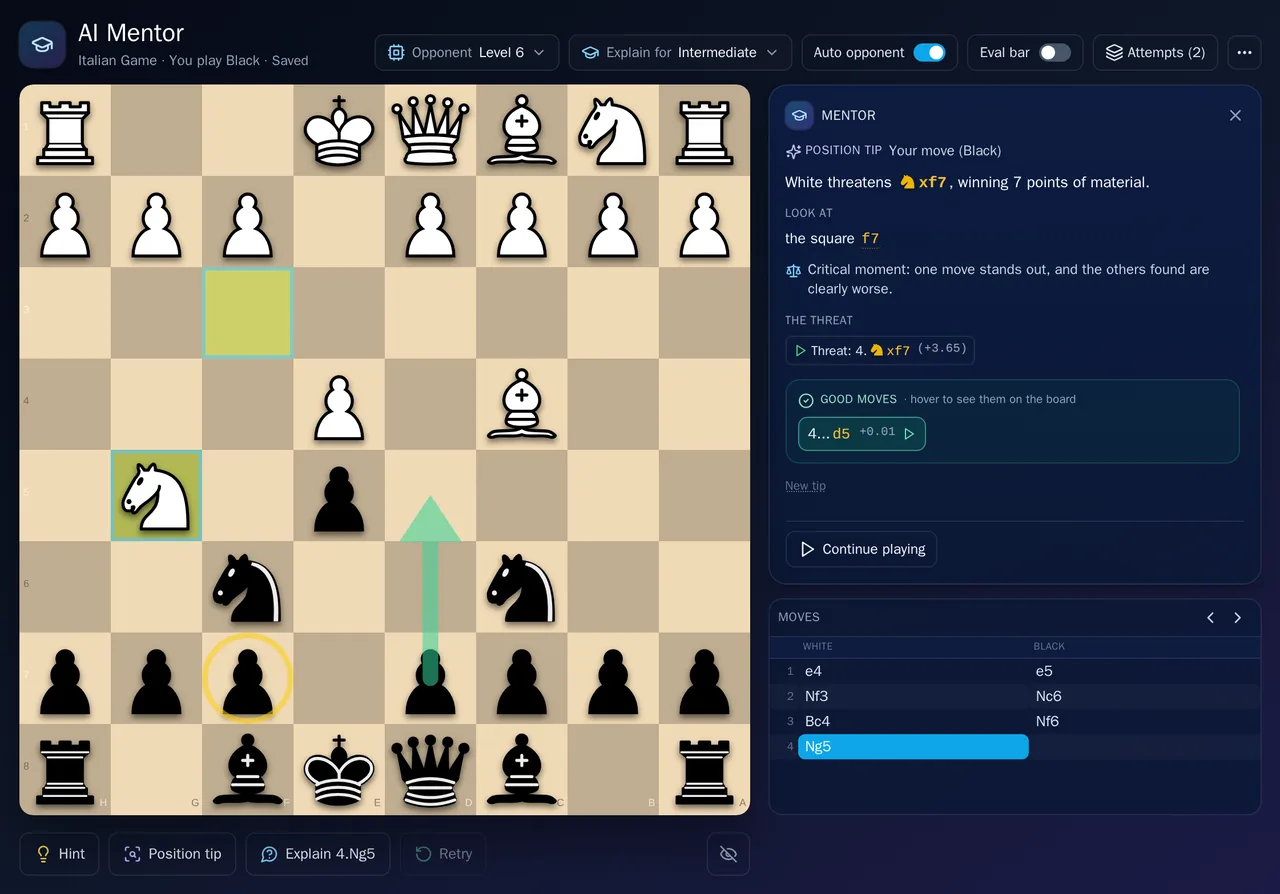
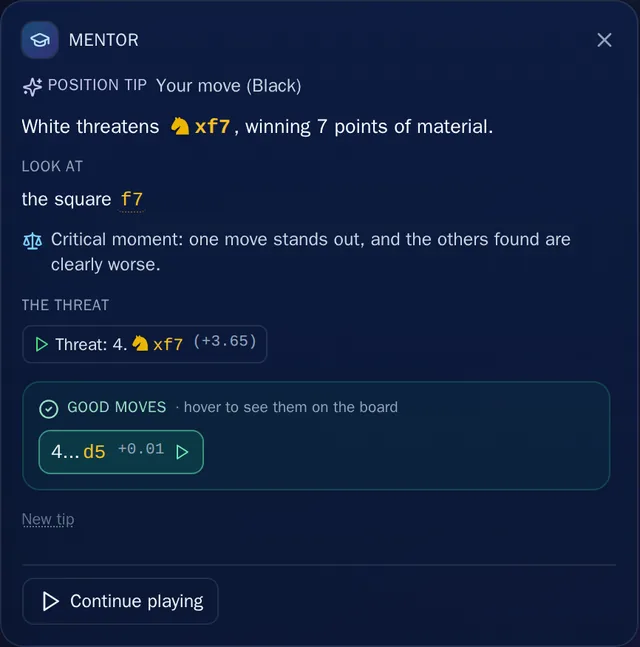
Back at the same decision, Black asked for a Position tip. A tip tells you what the position asks of you and where to look before it shows any moves. It rings the squares that matter on the board, says how much choice you really have, and ends with the good moves. Point at one and its arrow appears on the board, as in the screenshot at the top of this post.
Ask for a Hint, Then Watch the Line
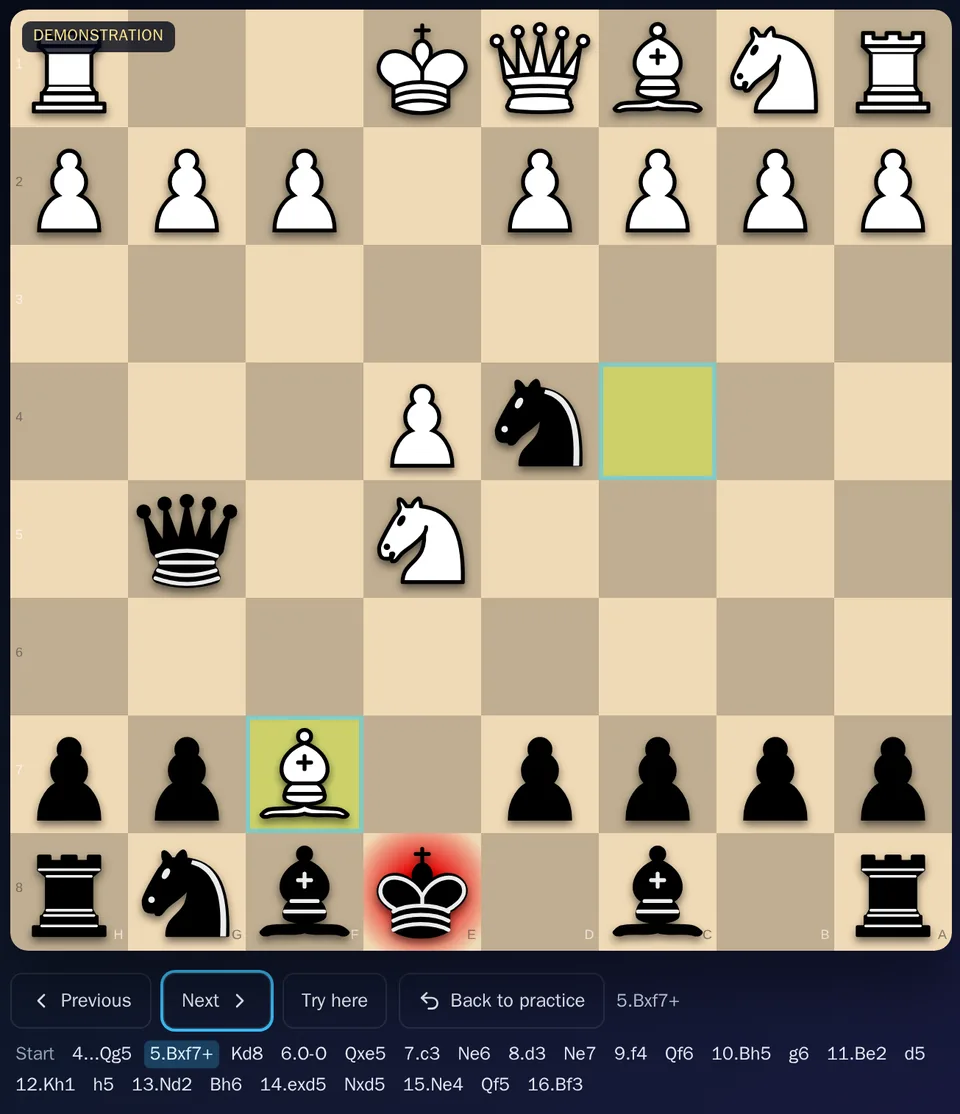
In the second game, Black asked for a Hint. A hint walks you through the idea one step at a time, and each step has a board link that shows the exact position it's talking about.
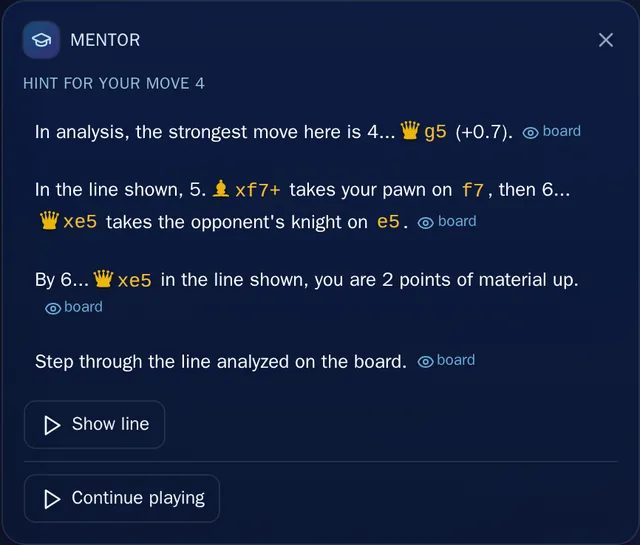
Show line then plays the whole line on the board as a demonstration. Step through it with Previous and Next or the arrow keys. Wherever it's your move in the line, Try here lets you play on from there yourself. Back to practice returns you to your game exactly where you left it.
Explained at Your Level
Two settings shape every session, and you can change either one in the middle of a game:
- Opponent strength, Level 1 to 8. Level 8 is Stockfish at full strength. Levels 1 to 7 use Stockfish's own Skill Level, so your opponent still plays real chess and makes mistakes you can learn to punish.
- Explain for: Beginner, Intermediate, Advanced or Expert. A beginner gets simple words with every idea spelled out; an expert gets the short, technical version. The facts behind the explanation stay the same.

How to Start
Open the AI Mentor with a free ChessLogix account, choose your two levels, and start in any of these ways:
- New game from the starting position, as White or Black.
- From a position: paste a FEN or a PGN.
- Your openings: practice the positions your own games reach most often. Import your Chess.com or Lichess games first.
- Practice with mentor: open a position from the Review board, the Opening Lab or a training puzzle.
Starting a session uses one credit, and every free account gets 5 credits a month. Inside a session, hints, position tips and explanations cost nothing extra, and coming back to a saved session is free.
Want to look back at games you've already played instead? Read how to analyze a chess game step by step.
Frequently Asked Questions
What is an AI chess coach?
A program that plays you and teaches you at the same time. It gives you an opponent at your level, and when you ask, it explains in plain words what a position needs and why a move worked or failed, instead of only showing an engine evaluation.
Is the ChessLogix AI chess coach free?
You can use it with a free account. Starting a session uses one credit, and free accounts get 5 credits every month. Hints, position tips and explanations inside a session cost nothing extra, and coming back to a saved session is free.
Does it just tell me the best move?
Only if you ask. The evaluation bar and the engine arrows stay off unless you turn them on. A position tip starts with what the position needs and where to look, and an explanation is about why a move worked or failed and what was better.
Who is the AI Mentor for?
Anyone who knows how the pieces move. Set Explain for from Beginner to Expert, and the opponent from Level 1 to Level 8. The two settings are separate, so a strong player can still ask for the simple version.
Can an AI chess coach replace a human coach?
Not entirely. An AI chess coach is there for every move of every game and never tires of the same question. A human coach still plans your training over months and notices things about you that a single game doesn't show.
Play your next game with a coach beside you.
Create a free account, pick your levels, and ask the AI Mentor about any move. Every free account gets 5 credits a month, and one credit starts a session.